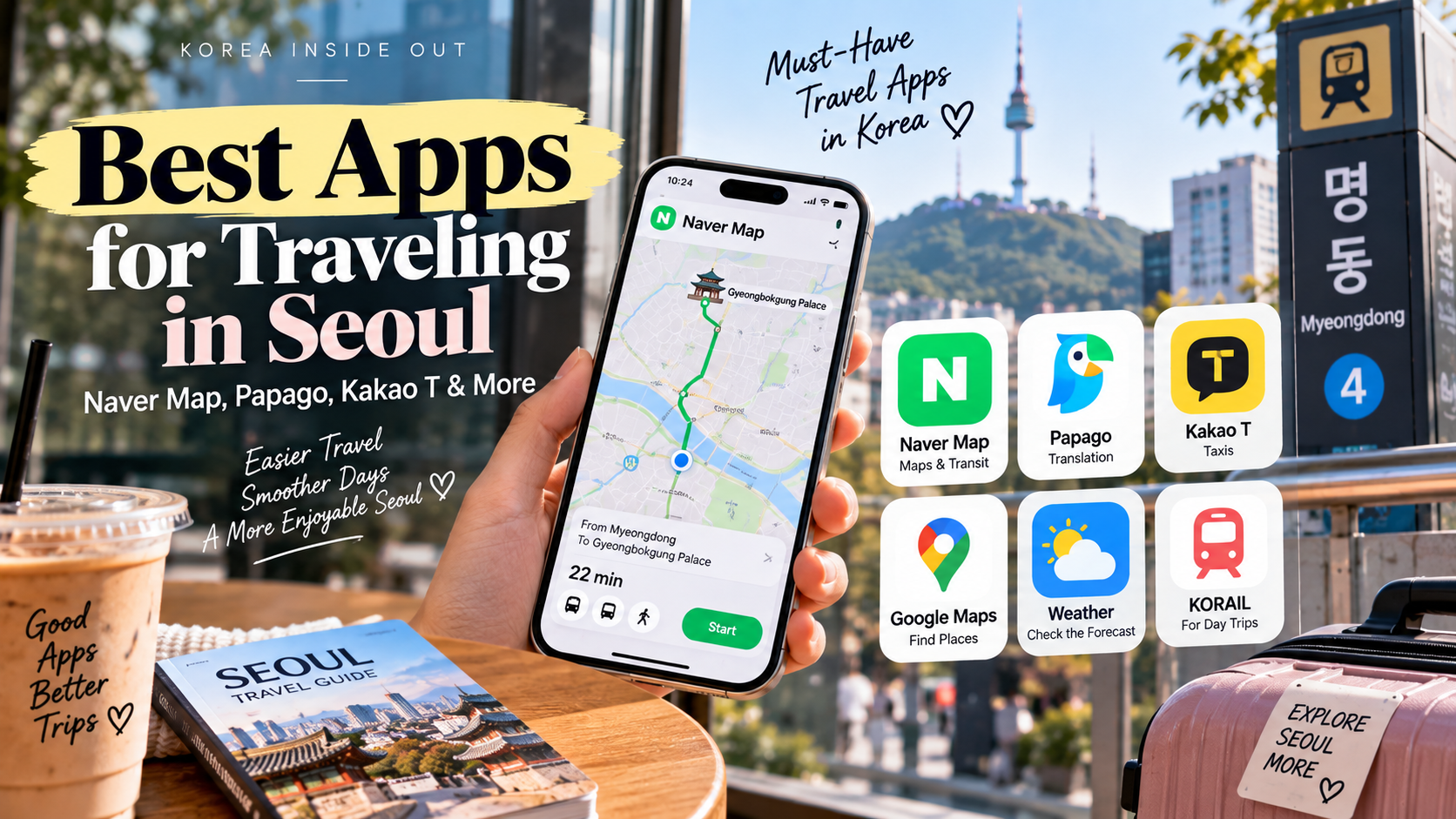
If you’re traveling to Seoul for the first time, downloading the right apps before your trip can make your days much easier.
Seoul has an excellent public transportation system, thousands of restaurants and cafés, and plenty of English-friendly tourist areas. But there is one small problem for first-time visitors:
The apps you normally use at home may not always be the best tools in Korea.
The good news is that you don’t need dozens of Korean apps.
For most travelers, these are enough:
- NAVER Map — maps, walking directions, subway and buses
- Papago — Korean translation
- Kakao T or k.ride — taxis
- Google Maps — useful for saving places and general information
- Weather app — useful for checking Seoul’s changing weather
- Korail / transportation apps — helpful for longer trips outside Seoul
Here’s exactly what I would download before visiting Seoul.
The 5 apps I would download first
| App | Best for | How important is it? |
|---|---|---|
| NAVER Map | Maps, walking, subway, buses | ⭐⭐⭐⭐⭐ |
| Papago | Korean translation | ⭐⭐⭐⭐⭐ |
| Kakao T / k.ride | Taxis | ⭐⭐⭐⭐ |
| Google Maps | Finding places and saving locations | ⭐⭐⭐ |
| Weather app | Weather and rain forecasts | ⭐⭐⭐ |
If you’re staying only in Seoul, NAVER Map + Papago + a taxi app will cover most situations.
1. NAVER Map: The app I would download first
If you download only one Korea-specific app before your trip, make it NAVER Map.
NAVER Map is one of the most useful navigation tools for visitors because it is designed around locations and transportation in Korea.
The app supports English, Japanese and Chinese as well as Korean.
What can you use it for?
NAVER Map is useful for:
- Finding restaurants
- Finding cafés
- Walking directions
- Subway routes
- Bus routes
- Checking travel times
- Finding subway exits
- Checking opening hours
- Looking at photos and reviews
- Finding hospitals and pharmacies
- Checking nearby attractions
One particularly useful feature is that NAVER Map can show transportation routes and estimated fares.
Why is this important in Seoul?
Seoul can look surprisingly confusing on a regular map.
A restaurant may be only 500 meters away, but the actual walk can take much longer because of:
- Large roads
- Underground shopping areas
- Subway entrances
- Bridges
- Buildings with multiple entrances
- Hills
- Complicated intersections
NAVER Map is especially useful when you’re trying to figure out which subway exit to use.
That can save you from walking 15 minutes in the wrong direction.
One tip before your trip
Don’t wait until you arrive in Seoul to download it.
Install it at home and search for your hotel.
Try searching:
Hotel → Myeongdong
or
Hotel → Gyeongbokgung Palace
This gives you a chance to get familiar with the interface before you’re standing on a Seoul street with your luggage.
2. Papago: Your Korean translation backup
Even if you speak English, Papago is worth having on your phone.
Papago is NAVER’s translation service and supports Korean, English, Japanese, Chinese and several other languages. It also supports text, image and voice translation.
For tourists, the most useful feature may actually be image translation.
Use Papago when you see:
- A Korean-only menu
- A restaurant sign
- A subway notice
- A product label
- A Korean instruction
- A parking sign
- A receipt
- A notice at your hotel
Instead of typing the Korean characters manually, you can use your phone camera to translate text from an image.
That is much faster when you’re traveling.
A real-life example
Imagine you walk into a small Korean restaurant.
The menu is almost entirely in Korean.
Instead of immediately leaving, open Papago and use the image translation function.
You may be able to figure out:
- What the main dishes are
- Whether something contains meat
- What side dishes are included
- Whether a menu item is spicy
It won’t replace human translation in every situation, but for everyday travel it can be extremely useful.
Another useful tip
Save a few basic Korean phrases in Papago before your trip:
- “I don’t speak Korean.”
- “Do you speak English?”
- “One, please.”
- “Where is the bathroom?”
- “Please take me here.”
- “Is this spicy?”
You may never need them.
But having them ready is reassuring.
3. Kakao T or k.ride: For taxis
Seoul’s subway is usually the easiest way to get around, but there will be times when a taxi makes more sense.
For example:
- You have heavy luggage
- It’s raining
- You’re traveling with children
- You’re returning to your hotel late
- You’re carrying shopping bags
- Your destination is awkward to reach by subway
This is where a taxi app becomes useful.
What about foreign visitors?
Kakao Mobility now offers k.ride, a mobility platform designed for global travelers.
k.ride supports English, Japanese and Chinese, and lets visitors search for destinations in their own language. It also shows estimated fares before requesting a taxi.
For an English-speaking traveler who doesn’t already use Kakao T, k.ride may be the simpler option to look at first.
Why use an app instead of stopping a taxi on the street?
The biggest advantage is convenience.
You can:
- Enter your destination
- See the estimated fare
- Request a taxi
- Check the vehicle information
- Follow the trip on the app
This can be much easier when you don’t speak Korean.
It also means you don’t have to explain your destination verbally.
4. Google Maps: Still useful, but don’t rely on it alone
This part has changed recently.
For years, travelers were told that Google Maps was not useful for navigation in Korea because of restrictions on the use of high-precision map data.
In February 2026, South Korea conditionally approved Google’s request to export high-precision map data, potentially allowing Google to expand its navigation services in Korea.
So the old advice that “Google Maps simply doesn’t work in Korea” is becoming outdated.
However, if you’re visiting Seoul today, I would still keep NAVER Map as your primary Korea navigation app.
Why?
Because NAVER Map is deeply integrated with local places, Korean businesses, transportation information and local listings.
My recommendation
Use the apps this way:
Google Maps
→ Save places, check general information and keep using the interface you’re familiar with.
NAVER Map
→ Actually navigate around Seoul.
This gives you the best of both worlds.
5. Your regular weather app
This one sounds obvious, but don’t underestimate Seoul weather.
A sunny morning can turn into a rainy afternoon.
And during summer, Seoul can be extremely hot and humid.
During the winter, temperatures can drop significantly.
Before leaving your hotel each morning, check:
- Temperature
- Rain probability
- Hourly forecast
- Wind
- Air quality
This can completely change your plans.
For example:
If heavy rain is expected at 3 p.m., you may want to visit an outdoor attraction in the morning and move to cafés, shopping or museums later.
6. Do you need a Korean subway app?
If you’re mainly staying in Seoul, NAVER Map is usually enough.
You don’t necessarily need a separate subway app.
NAVER Map can help you find:
- Subway lines
- Transfers
- Travel times
- Station exits
- Walking routes between destinations
That makes it especially useful for first-time visitors.
If you haven’t used the Seoul subway before, read our complete guide:
How to Use the Seoul Subway: A First-Time Visitor’s Guide
7. What about T-money?
T-money isn’t really an app that you need to rely on.
For most tourists, the important thing is having a T-money transportation card or another accepted transit payment method.
You can use it for public transportation and, in many cases, small everyday purchases.
If you’re arriving at Incheon Airport, it can be useful to get your transportation plan sorted out before heading into Seoul.
Our guide explains the main options:
How to Get From Incheon Airport to Seoul: AREX, Airport Bus, Taxi & More
8. What apps do you NOT need?
This may be the most useful part of the list.
You don’t need to download every Korean app you see mentioned online.
For a normal Seoul vacation, I wouldn’t fill my phone with dozens of unfamiliar apps.
Start with:
Essential
NAVER Map
Papago
Kakao T or k.ride
Useful
Google Maps
Weather app
Optional
Other transportation, shopping or reservation apps depending on your itinerary.
That’s enough for most first-time visitors.
My recommended Seoul app combination
If I were packing my phone for a first trip to Seoul, this is the setup I’d use.
For getting around
NAVER Map
Use it for subway, buses, walking and finding places.
For language
Papago
Use it for menus, signs, conversations and Korean text.
For taxis
k.ride or Kakao T
Use it when public transportation isn’t convenient.
For saved places
Google Maps
Keep using it if you’re already comfortable with it.
For weather
Your preferred weather app
Check it every morning.
A simple example: One day in Seoul
Let’s say you’re staying in Myeongdong.
You want to:
Myeongdong → Gyeongbokgung → Bukchon → Hongdae → Hotel
Here’s how I would use the apps.
Morning
Open NAVER Map.
Search for Gyeongbokgung Palace and follow the subway route.
At the palace
Use your normal camera or Google Maps to save photos and locations.
Lunch
Find a nearby restaurant on NAVER Map.
If the menu is mostly Korean, open Papago.
Afternoon
Search for Bukchon on NAVER Map and use walking directions.
Evening
Head toward Hongdae using NAVER Map.
Late evening
If you’re tired or carrying shopping bags, open k.ride and request a taxi.
That’s basically it.
You don’t need ten different apps.
One important tip: Download and test everything before you leave
This is something many first-time visitors forget.
Don’t download an app at Incheon Airport and try to figure it out while exhausted after a long flight.
Do it at home.
Before your trip:
- Download NAVER Map
- Download Papago
- Set the language to English
- Download or set up your preferred taxi app
- Search for your hotel
- Search for your first destination
- Check that your phone can access mobile data
- Save your hotel address somewhere easy to find
You don’t need to become an expert.
You just want to know where to tap when you’re tired.
What if your phone has no internet?
This is another reason I recommend keeping important information somewhere other than one app.
Before leaving for the airport, save:
- Hotel name
- Hotel address
- Hotel phone number
- Flight information
- Passport information
- Emergency numbers
- Important reservation details
A screenshot can be surprisingly useful.
If your mobile data stops working, you don’t want your entire trip to depend on opening one app.
Don’t forget about emergency information
Hopefully you won’t need it, but it’s worth knowing.
In Korea:
112 — Police
119 — Fire and ambulance
For general tourist assistance and interpretation, the 1330 Korea Travel Helpline can also be useful.
For more information about staying safe in Seoul, see:
Is Seoul Safe for Tourists? What First-Time Visitors Should Know
My bottom line: You only need a few apps
If you’re overwhelmed by all the Korea travel apps recommended online, don’t be.
For a first trip to Seoul, I would keep it simple:
NAVER Map + Papago + k.ride/Kakao T
Those three cover most of the situations where a foreign visitor is likely to need help.
Then keep Google Maps if you already use it for saving places, and use your normal weather app for daily planning.
The goal isn’t to turn your phone into a Korean smartphone.
The goal is simply to make Seoul easier to navigate.
And once you’ve used these apps for a day or two, you’ll probably stop thinking about them altogether.
Final Seoul App Checklist
Before flying to Korea, make sure you have:
☐ NAVER Map
☐ Papago
☐ k.ride or Kakao T
☐ Google Maps
☐ Weather app
☐ Your hotel address saved offline
☐ Important reservations saved
☐ Emergency numbers saved
That’s all you really need.
What travel app do you usually rely on when visiting a new country? And if you’ve already been to Korea, is there an app you couldn’t live without? Let me know in the comments!
Leave a Reply